Sortivoa
Mobile App

Project Type
Concept Study
Industry
Environment
Services
Mobile App & AI Design

Overview

Sortivoa explores household reuse through a mobile experience built around a camera-led item card with location-rule drawer. A household reuse assistant connecting material candidates, local-source guidance and creative reuse ideas. The proposed journey connects item lens, local guide, reuse ideas, household log. Four original phone showcases establish the visual direction, while the case study defines the supporting feature set and a proposed Kotlin architecture.
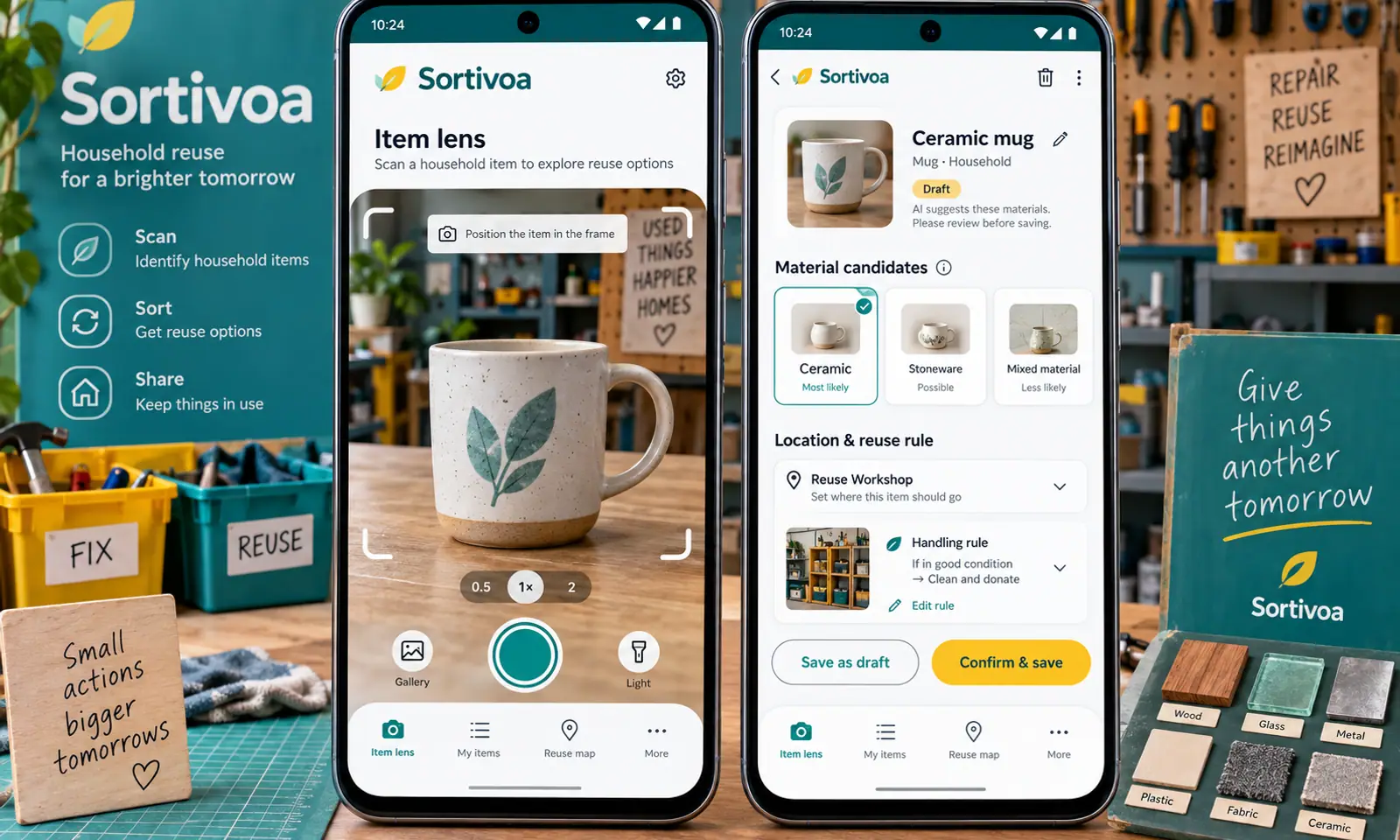
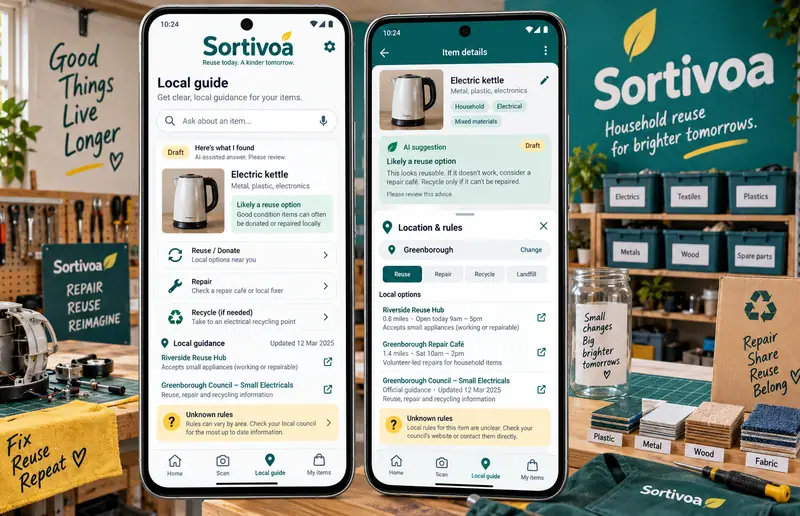
Sortivoa Mobile App hero

Original mobile interface concepts with fictional content. AI responses illustrate proposed interactions; they are not live model results.

Challenge

Households need item suggestions connected to verified local references rather than universal disposal guesses. On a phone, the person also needs to capture information quickly, understand where an answer came from and return to the original material without navigating through a dense desktop interface.

  • Keep item lens and local guide connected within a short mobile flow.
  • Make material candidates correctable when the model misreads the input.
  • Explain reuse ideation through visible references or user-selected preferences.
  • Keep changes, sharing and data retention under explicit user control.

Solution

The design begins with a camera-led item card with location-rule drawer, using large touch targets, short task sequences and contextual sheets. Suggest likely material labels for the user to confirm. Explain selected local guidance with dated source links. The companion views keep drafts, original material and accepted decisions distinct. A teal, white and sunflower visual system gives this app its own character within the collection.

  • Suggest likely material labels for the user to confirm.
  • Explain selected local guidance with dated source links.
  • Draft creative reuse options from the user's description.
  • Organize saved decisions without inventing environmental impact metrics.

Results

  • 4

    Original mobile
    showcase views

  • 12

    Designed
    feature areas

  • 4

    Proposed AI
    workflows

Let’s CraftingVisual ImpactStart a Project

We Are Available For New Project

Sortivoa
Mobile App

Project Type
Concept Study
Industry
Environment
Services
Mobile App & AI Design

Overview

Sortivoa explores household reuse through a mobile experience built around a camera-led item card with location-rule drawer. A household reuse assistant connecting material candidates, local-source guidance and creative reuse ideas. The proposed journey connects item lens, local guide, reuse ideas, household log. Four original phone showcases establish the visual direction, while the case study defines the supporting feature set and a proposed Kotlin architecture.
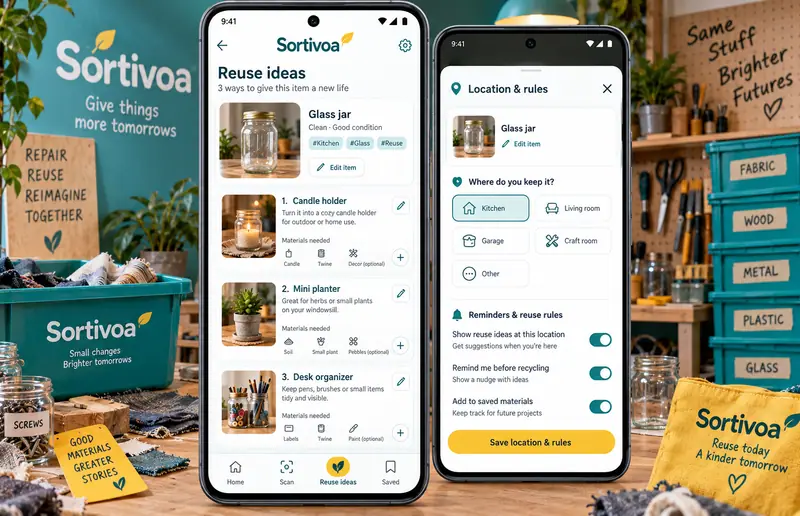
Sortivoa Mobile App — hero

Original mobile interface concepts with fictional content. AI responses illustrate proposed interactions; they are not live model results.

Challenge

Households need item suggestions connected to verified local references rather than universal disposal guesses. On a phone, the person also needs to capture information quickly, understand where an answer came from and return to the original material without navigating through a dense desktop interface.

  • Keep item lens and local guide connected within a short mobile flow.
  • Make material candidates correctable when the model misreads the input.
  • Explain reuse ideation through visible references or user-selected preferences.
  • Keep changes, sharing and data retention under explicit user control.

Solution

The design begins with a camera-led item card with location-rule drawer, using large touch targets, short task sequences and contextual sheets. Suggest likely material labels for the user to confirm. Explain selected local guidance with dated source links. The companion views keep drafts, original material and accepted decisions distinct. A teal, white and sunflower visual system gives this app its own character within the collection.

  • Suggest likely material labels for the user to confirm.
  • Explain selected local guidance with dated source links.
  • Draft creative reuse options from the user's description.
  • Organize saved decisions without inventing environmental impact metrics.

Results

  • 4

    Original mobile showcase views

  • 12

    Designed feature areas

  • 4

    Proposed AI workflows

Let’s Crafting

Visual Impact

Start a Project