Benchlyra
Mobile App

Project Type
Concept Study
Industry
Manufacturing
Services
Mobile App & AI Design

Overview

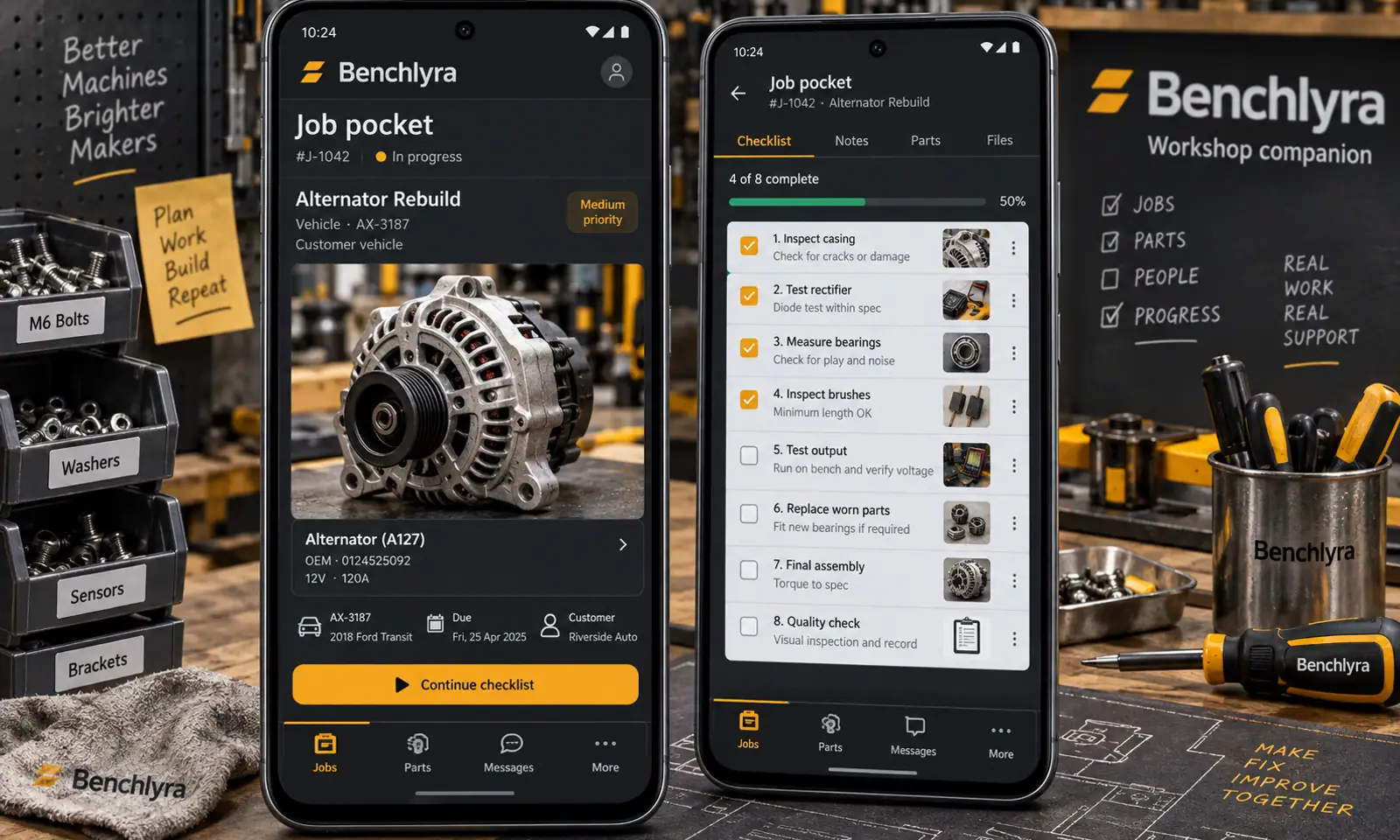
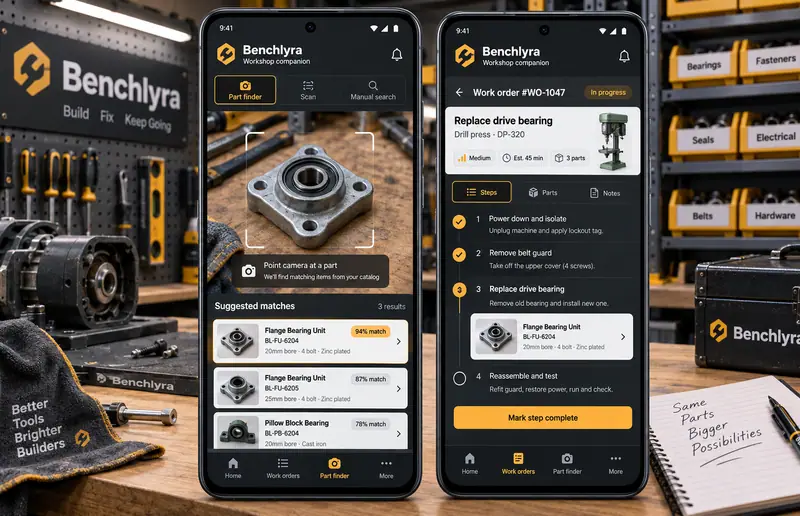
Benchlyra explores workshop companion through a mobile experience built around a photo-led work-order screen with step checklist. A workshop companion for visual part matching, cited documentation search and reviewable job handovers. The proposed journey connects job pocket, part finder, ask the manual, work log. Four original phone showcases establish the visual direction, while the case study defines the supporting feature set and a proposed Kotlin architecture.
Benchlyra Mobile App hero

Original mobile interface concepts with fictional content. AI responses illustrate proposed interactions; they are not live model results.

Challenge

Workshop teams need to retrieve the correct drawing and record observations without turning generated text into authoritative repair instructions. On a phone, the person also needs to capture information quickly, understand where an answer came from and return to the original material without navigating through a dense desktop interface.

  • Keep job pocket and part finder connected within a short mobile flow.
  • Make catalog matching correctable when the model misreads the input.
  • Explain voice logging through visible references or user-selected preferences.
  • Keep changes, sharing and data retention under explicit user control.

Solution

The design begins with a photo-led work-order screen with step checklist, using large touch targets, short task sequences and contextual sheets. Suggest visual matches within an approved component library. Answer administrative reference questions with page citations. The companion views keep drafts, original material and accepted decisions distinct. A graphite, amber and pale gray visual system gives this app its own character within the collection.

  • Suggest visual matches within an approved component library.
  • Answer administrative reference questions with page citations.
  • Draft structured job notes from dictation.
  • Summarize selected entries while linking the original records.

Results

  • 4

    Original mobile
    showcase views

  • 12

    Designed
    feature areas

  • 4

    Proposed AI
    workflows

Let’s CraftingVisual ImpactStart a Project

We Are Available For New Project

Benchlyra
Mobile App

Project Type
Concept Study
Industry
Manufacturing
Services
Mobile App & AI Design

Overview

Benchlyra explores workshop companion through a mobile experience built around a photo-led work-order screen with step checklist. A workshop companion for visual part matching, cited documentation search and reviewable job handovers. The proposed journey connects job pocket, part finder, ask the manual, work log. Four original phone showcases establish the visual direction, while the case study defines the supporting feature set and a proposed Kotlin architecture.

Benchlyra Mobile App — hero

Original mobile interface concepts with fictional content. AI responses illustrate proposed interactions; they are not live model results.

Challenge

Workshop teams need to retrieve the correct drawing and record observations without turning generated text into authoritative repair instructions. On a phone, the person also needs to capture information quickly, understand where an answer came from and return to the original material without navigating through a dense desktop interface.

  • Keep job pocket and part finder connected within a short mobile flow.
  • Make catalog matching correctable when the model misreads the input.
  • Explain voice logging through visible references or user-selected preferences.
  • Keep changes, sharing and data retention under explicit user control.

Solution

The design begins with a photo-led work-order screen with step checklist, using large touch targets, short task sequences and contextual sheets. Suggest visual matches within an approved component library. Answer administrative reference questions with page citations. The companion views keep drafts, original material and accepted decisions distinct. A graphite, amber and pale gray visual system gives this app its own character within the collection.

  • Suggest visual matches within an approved component library.
  • Answer administrative reference questions with page citations.
  • Draft structured job notes from dictation.
  • Summarize selected entries while linking the original records.

Results

  • 4

    Original mobile showcase views

  • 12

    Designed feature areas

  • 4

    Proposed AI workflows

Let’s Crafting

Visual Impact

Start a Project